
MediaOptim
FreemiumCompress photos, videos and audio on your Mac to free up disk and iCloud space. 100% local, pay once.
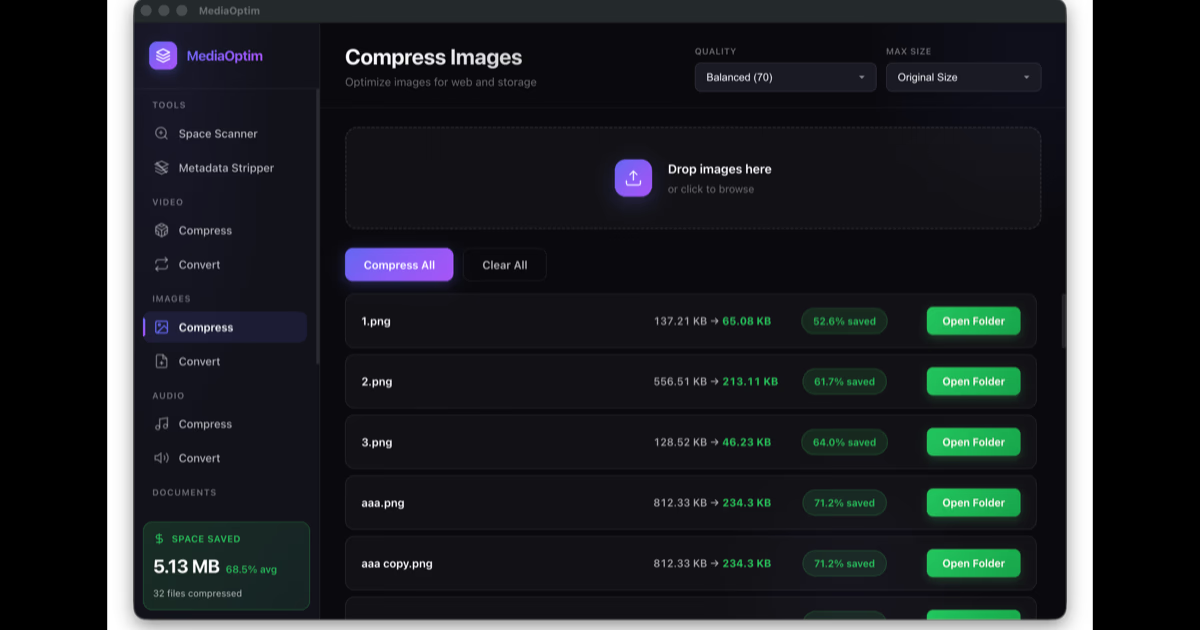
What is MediaOptim
MediaOptim is a Mac app that shrinks your photo, video and audio library so it fits your disk and your iCloud plan, without deleting anything.
Video is re-encoded to HEVC at a sensible bitrate, typically halving iPhone 4K clips. Photos go to HEIC, JPG or WebP with tuned quality, keeping metadata. Audio files are compressed too. Batch processing, a Watch Folder and a space scanner find what fills your storage.
Everything runs 100% locally: files never leave your Mac and it works offline. Free to try with 3 files a day and every tool; MediaOptim Pro is a one-time unlock, no subscription.
Key Features
Use Cases
- •Free up Mac disk space without deleting photos or videos
- •Fit a photo library into a smaller iCloud plan
- •Shrink screen recordings and demo videos before sharing
- •Batch-compress product photos for a website
Why Startups Need This
Founders and small teams pile up screen recordings, demo videos and product shots. MediaOptim cuts those libraries 40-70% on the Mac itself, so you stop paying for bigger cloud plans and can share lighter files, without uploading anything.
FAQs
Does MediaOptim upload my files?
No. Everything is processed locally on your Mac and it works offline.
Is it a subscription?
No. It is free to try with 3 files a day, and MediaOptim Pro is a one-time unlock.
How much space does it save?
Typically 40-70% on videos and photos without visible quality loss.